Support / Members
Asking Members with Polls
Polls let you ask your members a question, like what you should shoot next. The poll shows as a banner at the top of your site, members vote in one click, and you see the results as they come in.
Good to know: one poll runs at a time, and only logged-in members can vote (never visitors). Polls work on our standard storefront design; if your site uses a custom design and you don't see the banner, contact support. Teammates need access to Content to see polls, and edit access to Content to start, close or delete them.
Turn it on or off
Updated Nov 2, 2026
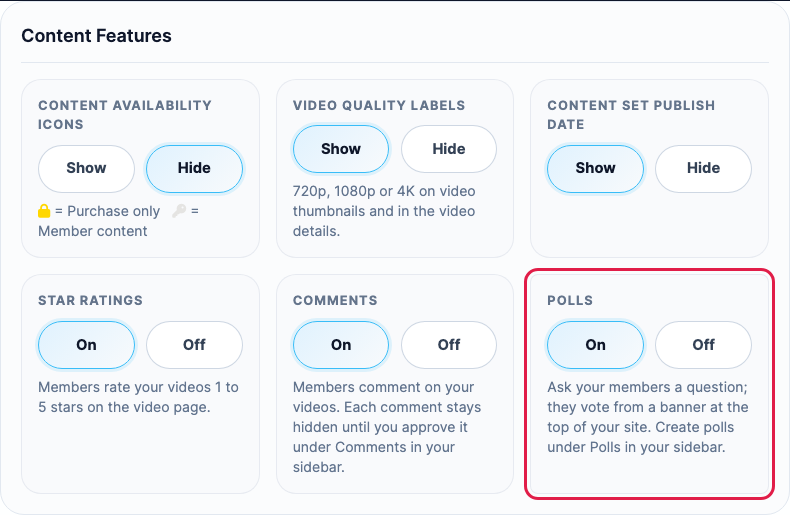
- In your sidebar, go to Store Settings and open the Content Features tab.
-
Under Polls, choose On, then click Save Changes.
-
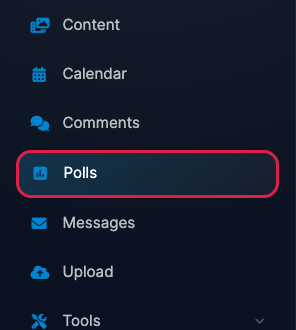
Polls now shows in your sidebar.
Polls are off until you turn them on. Turning them off hides the banner on your site and the Polls link in your sidebar; your past polls and their results are kept.
Start a poll
Updated Nov 2, 2026
-
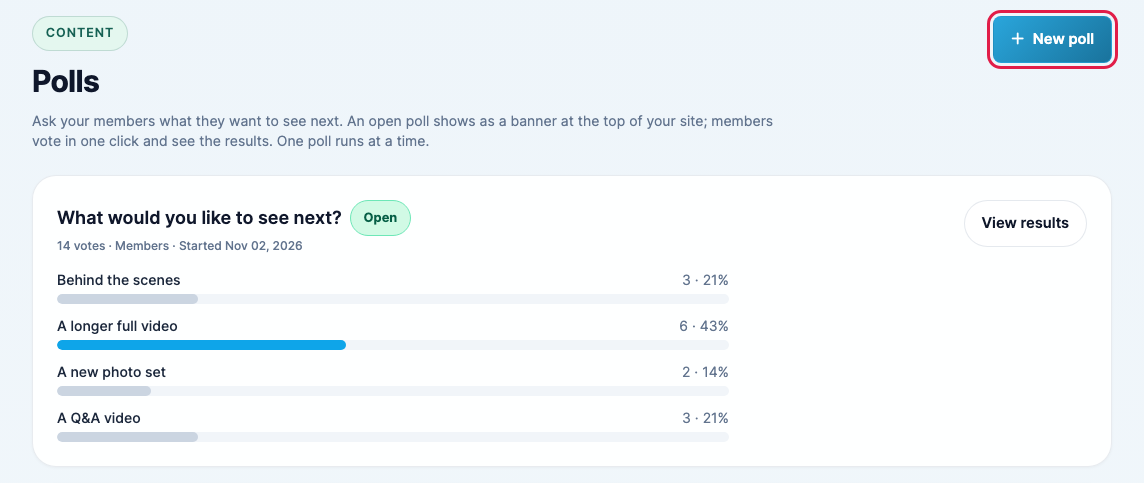
In your sidebar, click Polls, then New poll.
-
Fill in the poll and click Start poll.
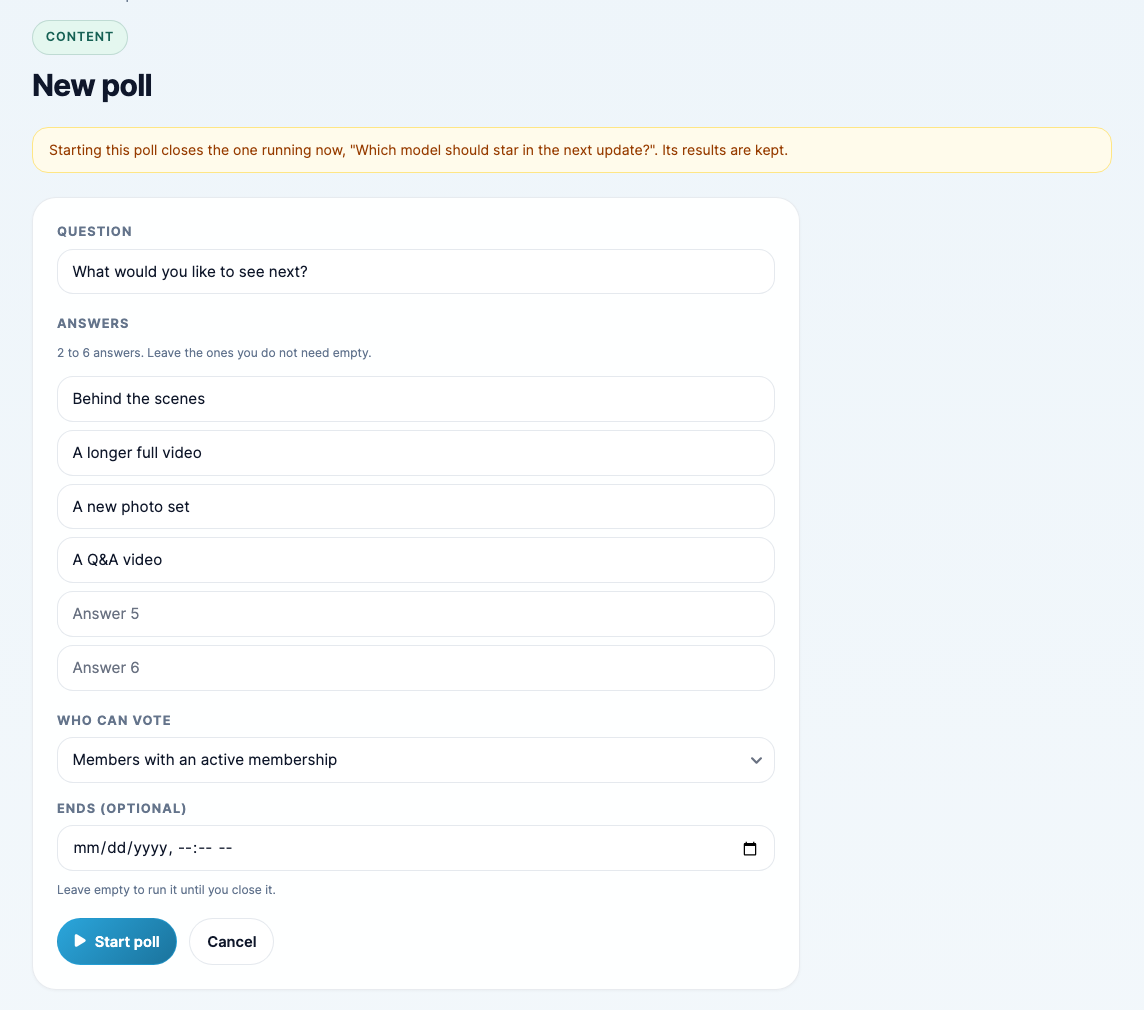
- Question: what you want to ask, up to 255 characters.
- Answers: 2 to 6 answers, up to 120 characters each. Leave the ones you don't need empty. Two answers can't be the same.
- Who can vote: Members with an active membership, or Members, plus anyone who has bought a video from you.
- Ends (optional): the date and time the poll closes on its own. Leave it empty to run the poll until you close it.
Starting a new poll closes the one running now. The page warns you first, and the old poll's results are kept.
What your members see
Updated Nov 2, 2026
-
Members who can vote see the question in a banner at the top of every page.

-
They click Vote to see the answers, and click one to vote.

-
Once they vote, the banner shows the results so far.

Each member votes once and can't change their vote. After they vote, or close the banner with the X, they don't see that poll again. If you have also sent a message they haven't read, the message banner shows first and the poll banner appears once it is closed.
See the results, close or delete a poll
Updated Nov 2, 2026
Your Polls page lists every poll with its results. Click View results to open one.
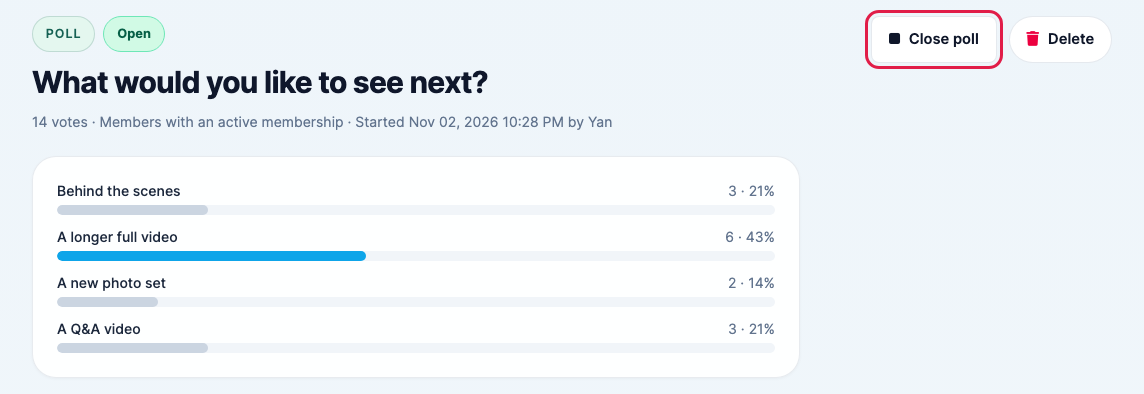
- Close poll stops voting and removes the banner from your site. The results are kept. A poll with an end date closes on its own at that time.
- Delete removes the poll and all its votes. This can't be undone.