Support / Content
Release Dates & Pre-release
Every content set has a publish date, and you decide when your members get it. With Pre-release you can sell a new video first and add it to your members area later, automatically. If fans message you asking to buy a video early, Pre-release lets you sell it on your site instead, at your price, with no manual delivery.
Good to know: all dates are in Eastern time. These options are on the content form when you add or edit a content set (see Adding Content).
The dates on the content form
Updated Oct 25, 2026
- Publish Date & Time: when the content set goes live on your site and appears in your updates.
- Take Off Site On: optional. At midnight on this date the whole content set is taken off your site for everyone. People who already bought it keep it. If your store uses content rotation, this date may be set for you.
- Members Area: when members get the content set as part of their membership (below).
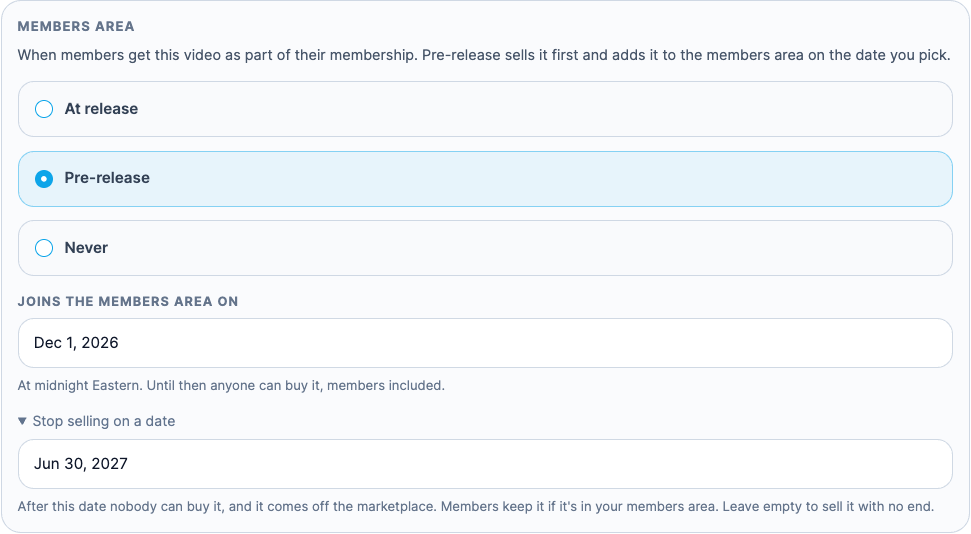
- Stop selling on a date: optional, under Members Area. After this date nobody can buy it, and it comes off the marketplace. Members keep it if it's in your members area.
Choose when members get it
Updated Oct 25, 2026
-
In the Members Area panel, pick one:
- At release: members get it on the publish date. This is the usual choice.
- Pre-release: anyone can buy it from the publish date, members included. On the date you pick, it joins your members area at midnight Eastern, with nothing for you to do. It needs a price.
- Never: it's for individual purchase only and never joins your members area.
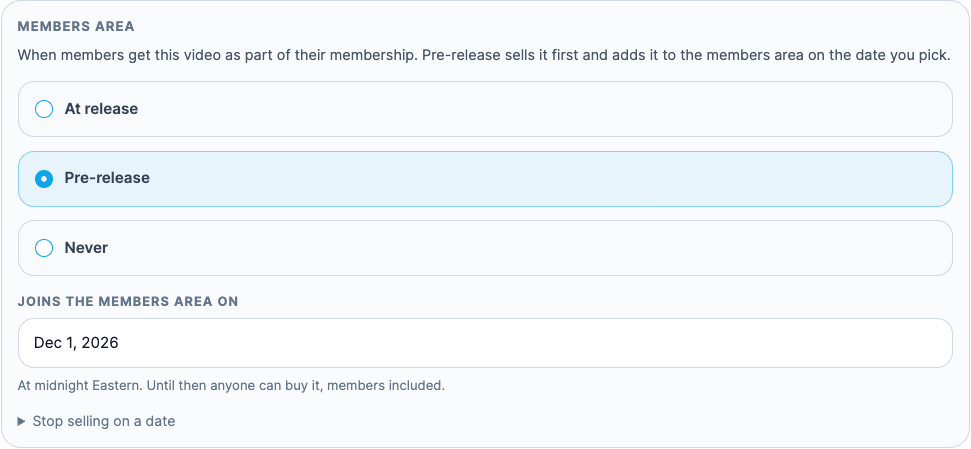
- For Pre-release, enter the date in Joins the members area on. It can't be before the publish date.
-
To stop selling it on a date, click Stop selling on a date and pick the date.
Want every new video to work this way? Ask us to set a default delay for your store (for example 30 or 90 days), and Pre-release with that date is filled in for each new content set.
What your fans see
Updated Oct 25, 2026
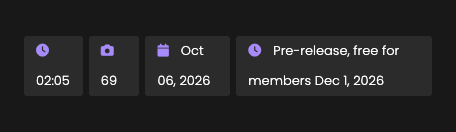
On stores with a membership, videos that aren't in your members area show a label on the video's page and in your updates:
- Pre-release, free for members on [date]: the video is for sale now and joins your members area on that date.
- Purchase only: the video is for individual purchase and won't join your members area.
Videos already in your members area look the same as before. Stores that only sell individual videos (no membership) don't show these labels.
Which option to use
Updated Oct 25, 2026
- Take Off Site On: the content set leaves your site for everyone. Buyers keep their copy.
- Stop selling on a date: the content set stays on your site, but nobody can buy it. Members keep it if it's in your members area.
- Never (Members Area): the content set stays for sale, but members have to buy it too.
The marketplace
Updated Oct 25, 2026
If your store sells on the marketplace, a content set is listed there while it's for sale and you've ticked Sell on the marketplace. When its sale ends (a Stop selling date, or Take Off Site On), it comes off the marketplace too. You can untick it at any time.