Support / Members
Messaging Your Fans
Messaging gives every account on your site an inbox. It works two ways: you send messages to your fans (news, a new set, a sale), and, if you want, your fans write to you and you reply. Fan messages can be free or paid per message, so answering fans can earn you money.
Good to know: messages live on your site, in your fans' account area; nothing is emailed except a short "you have a reply" note. Messaging works on our standard storefront design; if your site uses a custom design and you don't see the inbox, contact support. Teammates need access to Content to send and reply.
Turn it on or off
Updated Nov 2, 2026
- In your sidebar, go to Store Settings and open the Messaging section.
-
Messages turns on the inbox on your site and lets you send messages to your fans.
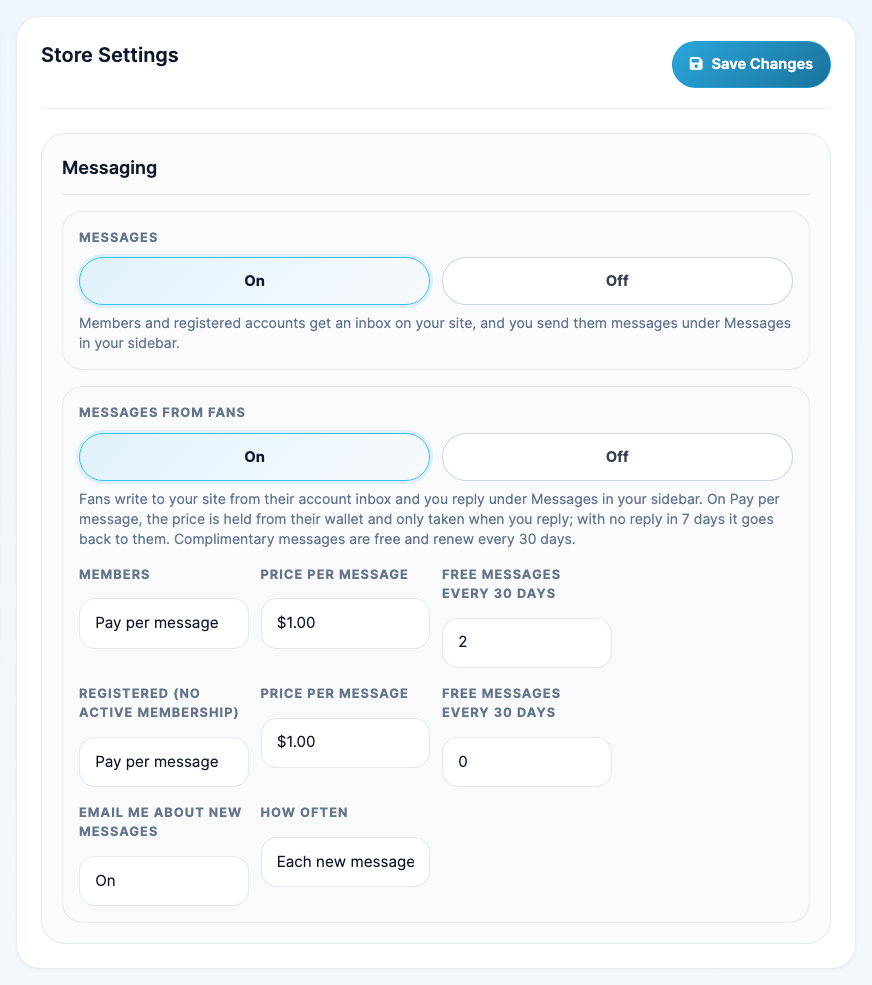
- Messages from Fans (shown while Messages is on) lets your fans write to you. Choose who can write and what it costs (see Choose who can write and what it costs), then click Save Changes.
Both are off until you turn them on. Turning Messages off hides the inbox, the envelope icon and the banner on your site, and the Messages pages in your dashboard.
Where it shows up
Updated Nov 2, 2026
On your site, for fans who are logged in:
- An envelope icon in the header, with the number of unread messages.
- A banner across the top: "You have 1 new message. View it". It only says how many; the message itself stays in the inbox. Fans can close it, and it comes back when a newer message arrives.
- Inbox in their account area, with a count. It holds your messages to them and, when Messages from Fans is on, their conversation with you ("Messages with" your site name).
In your dashboard:
- Messages in your sidebar, with a count of conversations that have new messages. It has two tabs: Fan messages and Sent to fans.
- A Messages waiting card on your Dashboard while fans are waiting for a reply.
- Paid messages show in your notification bell and at the top of Store Activity marked Priority, because money is waiting on your reply.
- An email when a fan writes, if you choose (each message or a daily summary).
Send a message to your fans
Updated Nov 2, 2026
- Go to Messages in your sidebar, open Sent to fans and click New message.
-
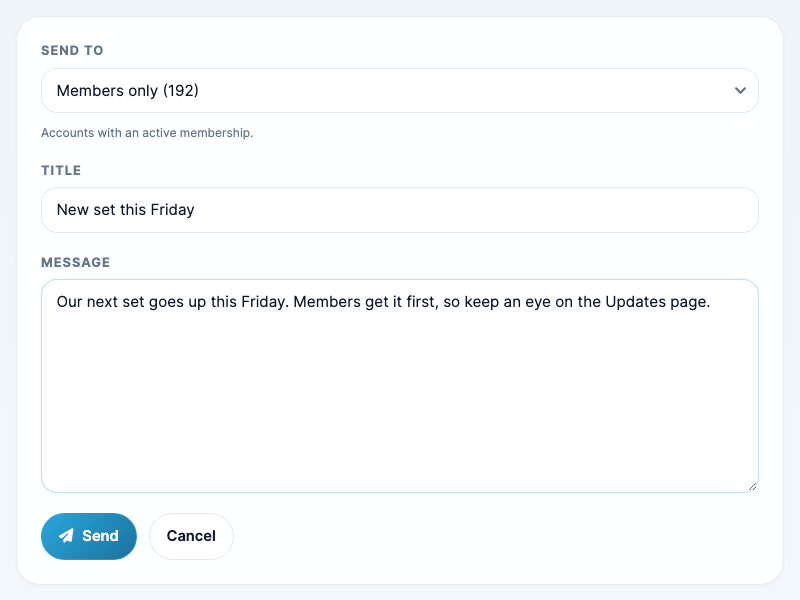
Choose who gets it in Send to: Everyone, Registered only (accounts without an active membership: free accounts, buyers and expired members) or Members only. Each choice shows how many accounts it reaches right now. Add a Title and your Message.
-
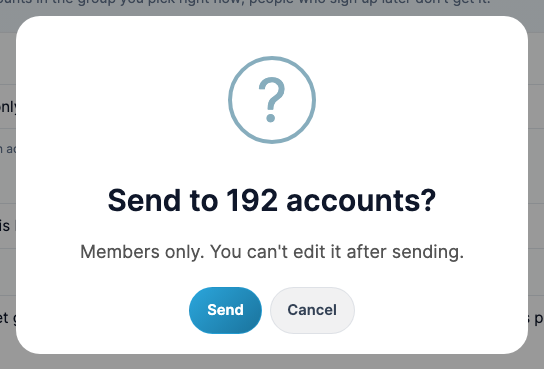
Click Send and confirm.
-
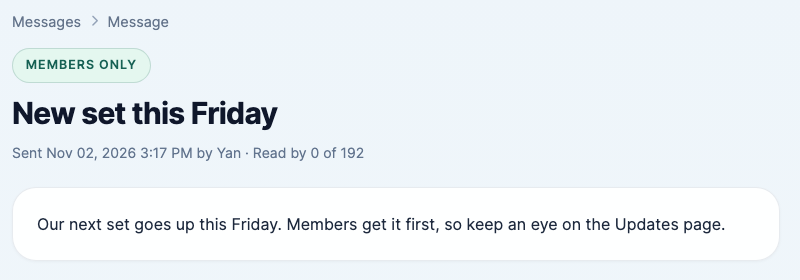
The message's page shows who it went to and how many have read it.
- A message goes to the accounts in that group at the moment you send it. People who sign up later don't get it, and a member who expires later keeps it.
- Sent messages can't be edited or taken back, and they are removed from inboxes 6 months after sending.
- Banned and blocked accounts are skipped and not counted.
What your fans see
Updated Nov 2, 2026
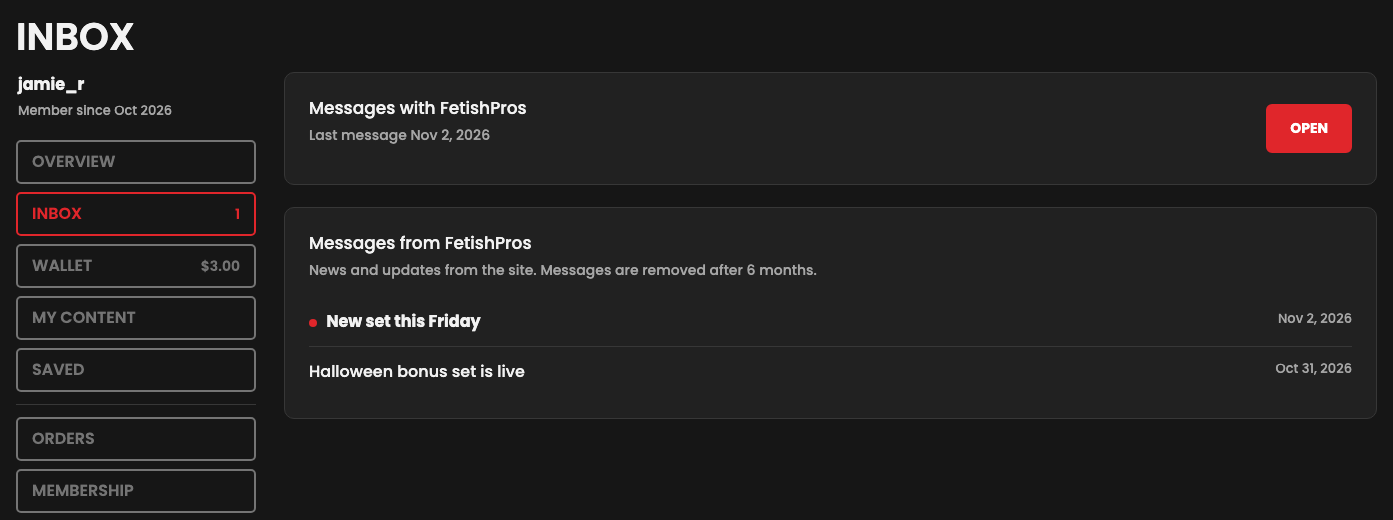
When a message arrives, logged-in fans see the banner and the count on the envelope icon:

The banner and the envelope open their Inbox. New messages have a dot; opening one marks it read. Fans can delete a message from their own inbox.
Choose who can write and what it costs
Updated Nov 2, 2026
With Messages from Fans on, your fans write to you from Messages with your site in their Inbox. You set the rules for two groups in the Messaging section of Store Settings:
- Members (active membership): Free, Pay per message or Can't send.
- Registered (an account without an active membership): Pay per message or Can't send. If Registered can't send but Members can, they're told messages are for members only, which is a nudge to join.
- Price per message: $0.50, $1.00, $1.50 or $2.00, set separately for each group.
- Free messages every 30 days: on Pay per message, each fan's first messages in any 30 days can be free (for example 2), and they pay after that. Leave it at 0 for none.
- Email me about new messages: On or Off, and How often: Each new message or a Daily summary (sent in the morning). The email says how many messages are waiting and when the first paid one's credits go back, without the messages themselves; you read and reply in your dashboard.
Pay per message needs credits on your store, because fans pay from their wallet. While credits are off, fans set to Pay per message can't send (members set to Free still can), and the Messaging section shows a notice. New stores have credits on; if yours doesn't, contact support.
How paid messages work
Updated Nov 2, 2026
-
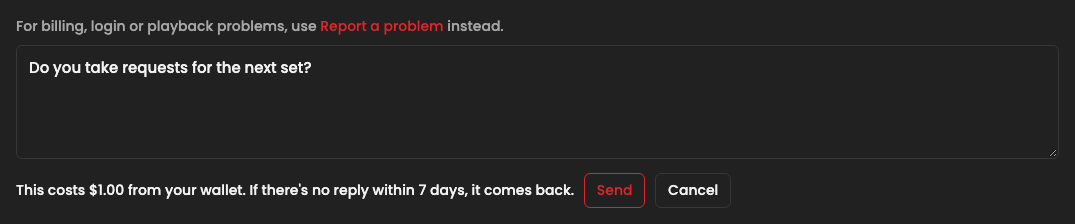
The fan writes a message and clicks Send for $1.00 (your price). The page asks once: "This costs $1.00 from your wallet. If there's no reply within 7 days, it comes back." If their wallet doesn't have enough, Send is greyed out with an Add funds link to their wallet.
-
The price is held from their wallet, not taken yet. The fan sees "Waiting for a reply, $1.00 held until" the date 7 days away.
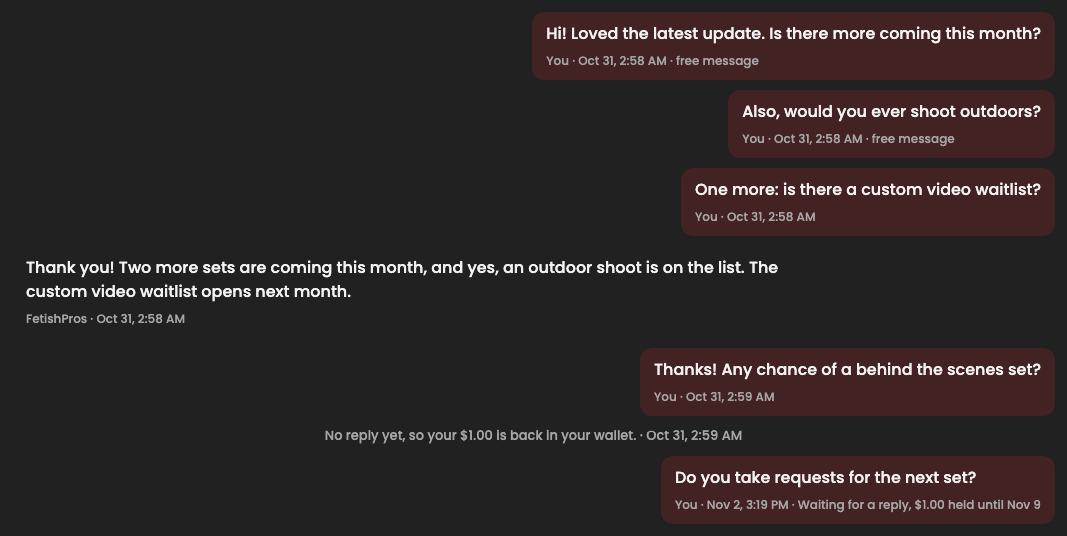
- When you reply, every held message in that conversation is paid. One reply can answer several messages.
- If you don't reply within 7 days, the credits go back to the fan's wallet, and the conversation says so: "No reply yet, so your $1.00 is back in your wallet." They can spend them on your videos instead.
Where the money comes from: fans buy credits for their wallet first, and you earn from that credit purchase in your usual payout, as with any credit sale. A paid message spends those credits on your site, so there's nothing extra to collect and your payouts work as before. If a fan has reward credits (from Member Incentives or a top-up bonus), those are used first. Reward credits that expire while a message is held don't come back.
When a message is waiting
Updated Nov 2, 2026
Your dashboard tells you when fans are waiting, and how long you have before paid credits go back:
-
The Messages waiting card on your Dashboard: how many messages, how much is held and when the first one runs out. Reply opens your fan messages.

-
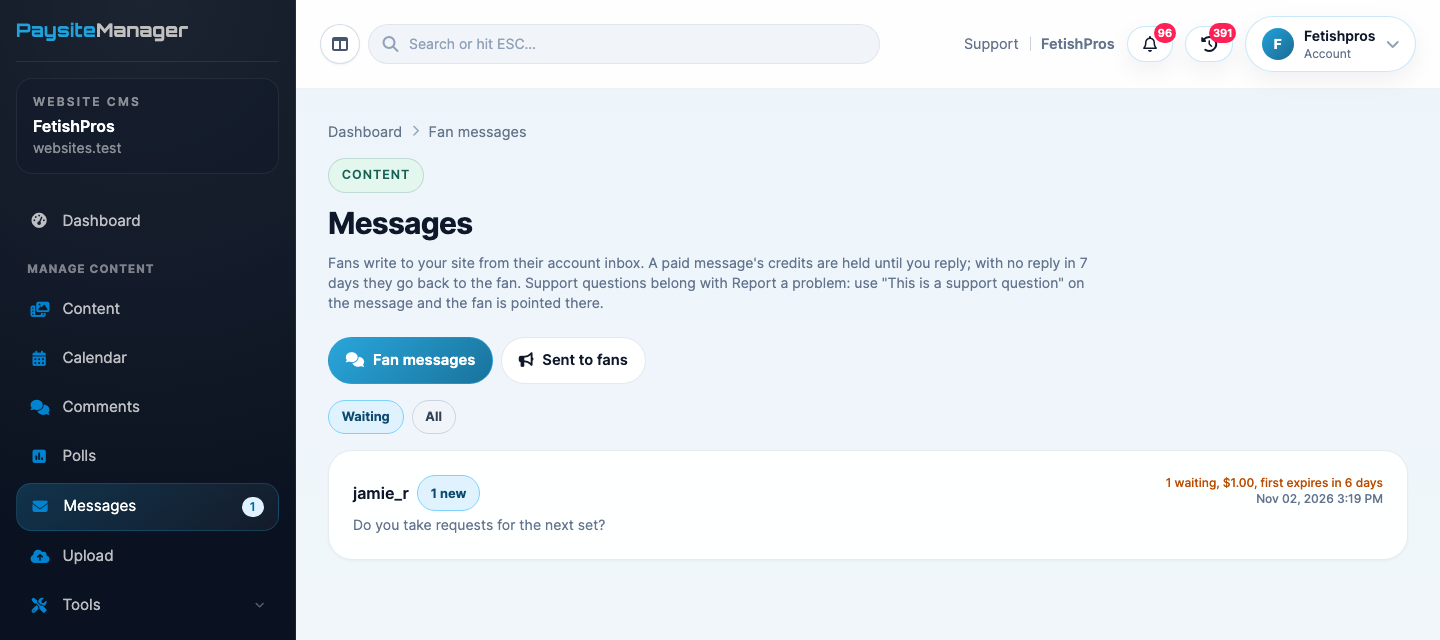
Messages in your sidebar opens Fan messages, with a count of conversations that have something new. Waiting lists the conversations that need a reply, with how much is held and when the first one expires.
-
A paid message also shows in Store Activity and your notification bell as Paid Message with a Priority tag, and stays unread until you reply or its credits go back.
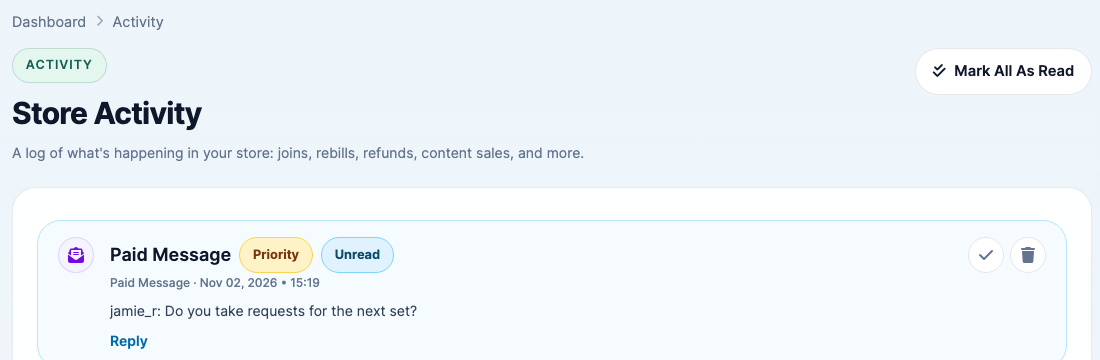
The page also shows how many messages went back unanswered this month, so you can see what you missed.
Reply to a fan
Updated Nov 2, 2026
-
Open the conversation from Fan messages. Each message shows whether it was free, paid, held (and until when) or returned.
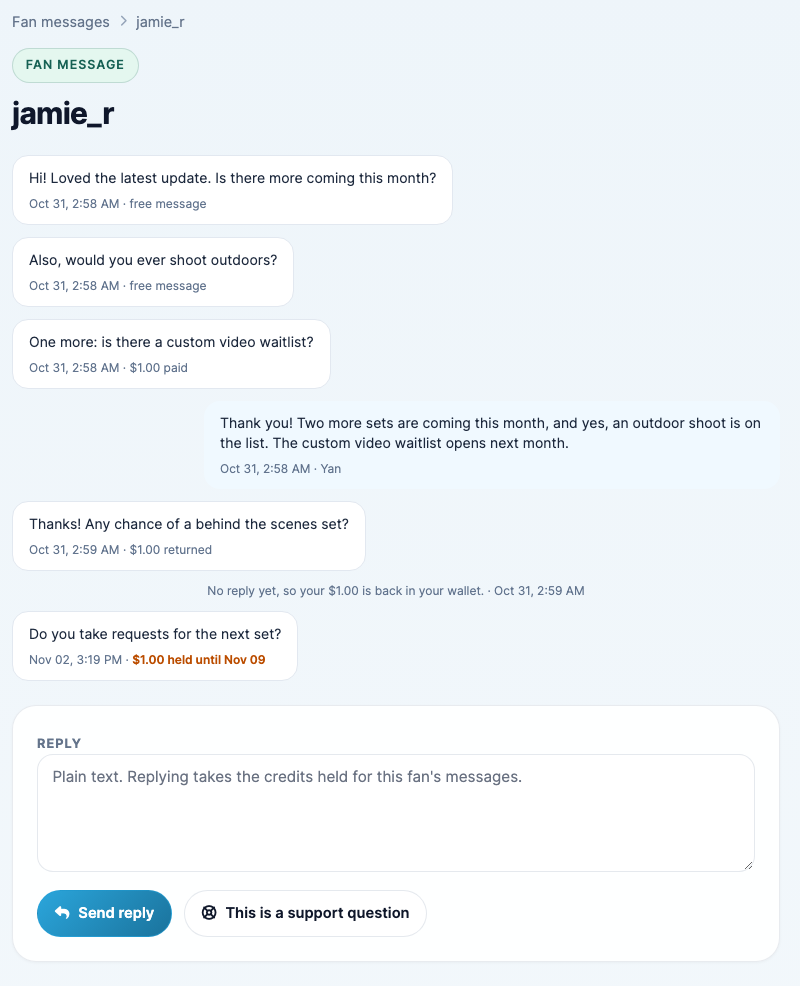
- Type your reply and click Send reply. Replying takes the credits held for this fan's messages. The fan gets an email saying they have a reply (the email doesn't include your reply; they log in to read it).
- If the message is really a support question (a billing, login, download or playback problem), click This is a support question instead. The fan gets a reply pointing them to Report a problem in their account, which comes straight to PaysiteManager support, and any credits held for their messages go back to them.
Good to know
Updated Nov 2, 2026
- Fans always write to your site, not to a model.
- Fan messages are plain text, up to 1,000 characters, at most 10 an hour, and messages with banned words are refused. Your replies can be up to 2,000 characters.
- The message box reminds fans to use Report a problem for billing, login and playback problems, so those go to our support team instead of you.
- Fans can turn off the "you have a reply" email in their account settings.
- Turning Messages from Fans off stops new fan messages; messages already held still get their 7 days and go back if you don't reply.