Support / Content
Building a Trailer from Your Video
No trailer yet, or want a new one? You can build it from the content set's own video: pick the clips you want, put them in order, and PaysiteManager joins them into a trailer for you. It works just like uploading a trailer, so it shows on your site the same way.
Good to know: the content set needs its video uploaded. A trailer can be up to 60 seconds in total, and each clip at least 1 second. Teammates need edit access to Content to build one.
Open the trailer builder
Updated Oct 31, 2026
-
Open the content set. In the Preview video card, click Build trailer from video.
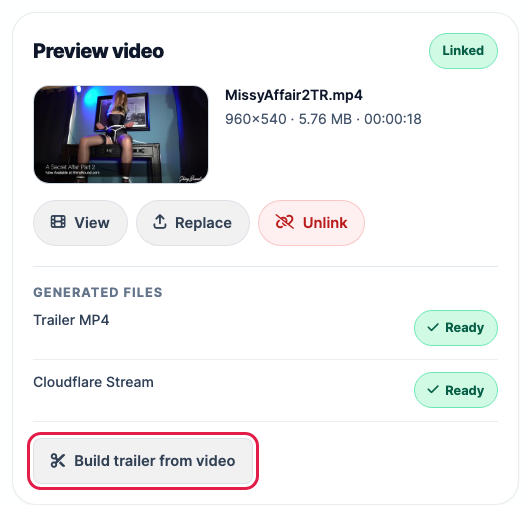
- Content sets that have a video but no trailer yet also show Build Trailer in your Content list.
Pick your clips
Updated Oct 31, 2026
-
Play the video. Click Set In (or press I) where a clip should start, then Set Out (or press O) where it should end. Your clips are marked in yellow on the slider.
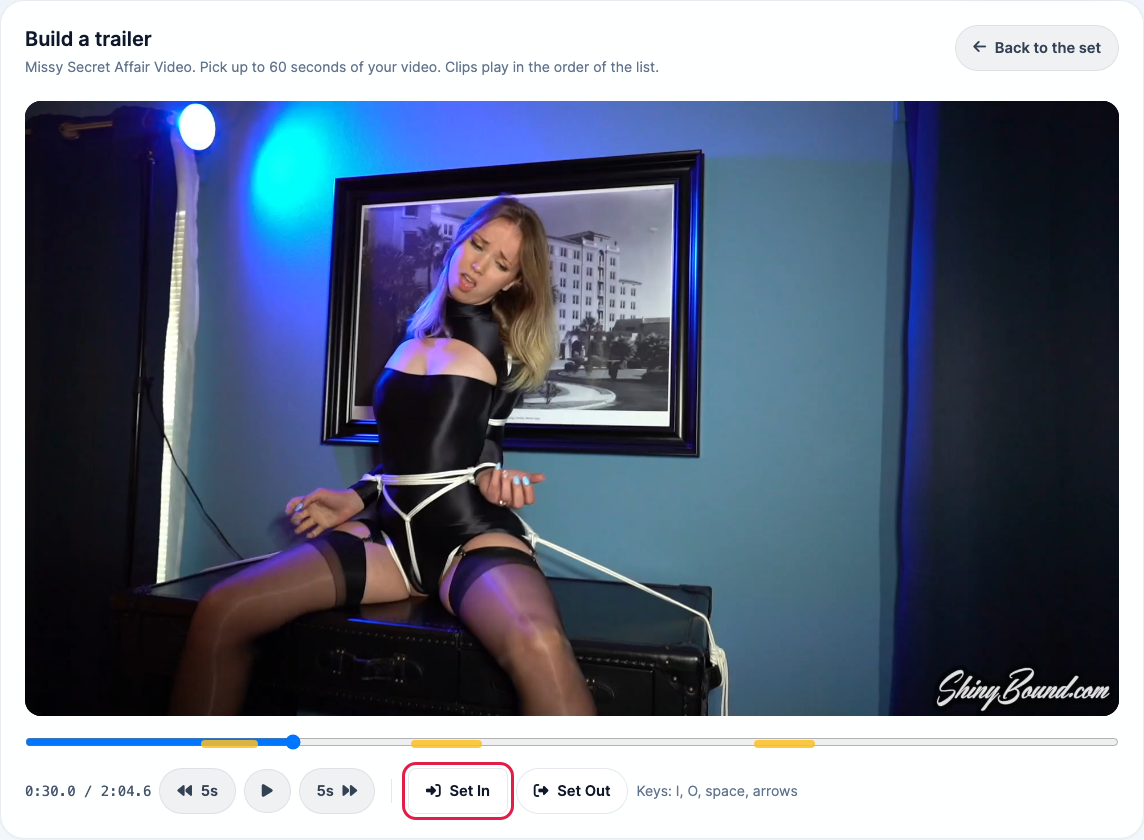
- Repeat for each clip. Other keys: Space plays or pauses, and the left and right arrows jump 1 second. The 5s buttons jump 5 seconds.
Arrange and check them
Updated Oct 31, 2026
Your clips are listed under Clips in the order they will play, with how much of the 60 seconds you've used.
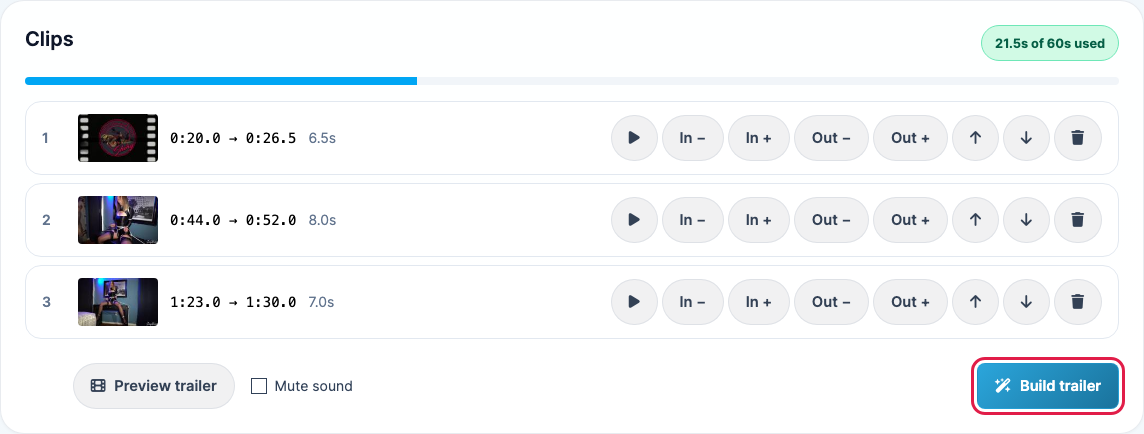
- Play (the triangle): watch that clip.
- In − and In +: start the clip half a second earlier or later.
- Out − and Out +: end it half a second earlier or later.
- Up and down arrows: move the clip earlier or later in the trailer.
- Trash can: remove the clip.
- Preview trailer: play all the clips in order.
- Mute sound: build the trailer without audio.
Build it
Updated Oct 31, 2026
- Click Build trailer. If the content set already has a trailer, confirm that you want to replace it.
- You go back to the content set, which shows Building trailer while it's made. The new trailer appears there when it's ready and then publishes to your site like an uploaded one.
If something goes wrong, the content set's page says The trailer could not be built, with a link to open the builder and try again.
Good to know
Updated Oct 31, 2026
- The builder remembers your clips, so you can open it again later to adjust them and rebuild. If you replace the content set's video, the old clips are cleared.
- While a trailer is being built, you can't start another one for the same content set.
- If the video doesn't play in the builder, your browser may not support its format. Try Safari, or upload a trailer from the content set's page instead.